If you had told me years ago that I’d become that person—the one who lovingly defends e-readers while clutching a tote bag full of library holds—I would’ve laughed and gone back to sniffing the pages of a paperback.
And yet… here we are.
I’m officially a Kindle convert (you can read the full story of how that happened here:
👉 Confessions of an E-Book Reader: How I Became a Kindle Convert).
If you’re Kindle-curious but overwhelmed by the options, you’re not alone. Amazon doesn’t exactly make this simple. There’s the classic Kindle, the Paperwhite, and now the Kindle Colorsoft—and they all sound kind of the same until you’re three tabs deep and questioning your life choices.
So let’s break it down in plain English. No tech jargon. No pressure. Just real-life reasons you might choose each one.
Affiliate Disclosure (The Not-So-Fun but Required Part): Some links in this post may be affiliate links. That means if you click and make a purchase, I may earn a small commission—at no extra cost to you. As an Amazon Associate, I earn from qualifying purchases. I only share things I genuinely use or would recommend to a friend over coffee. Thanks for supporting Simply Worth Sharing 💛
The Classic Kindle: Simple, Affordable, and Gets the Job Done
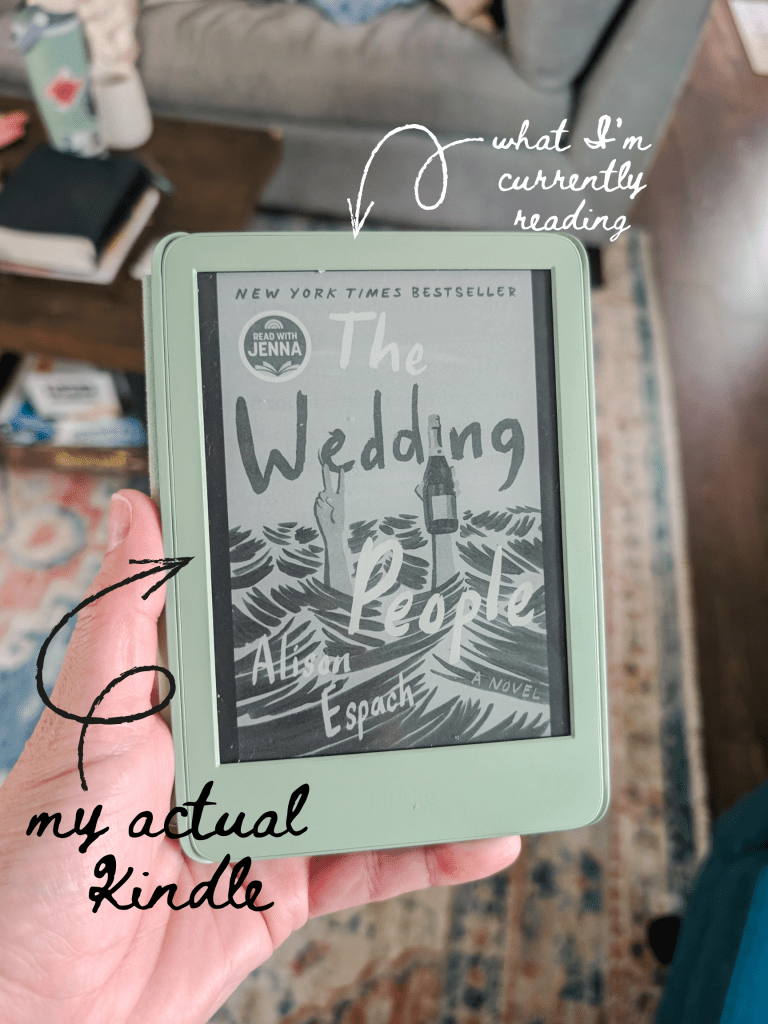
Let’s start with the one I actually use.
Why I Chose the Classic Kindle
I use the classic Kindle, and I chose it for two very important reasons:
- Cost
- Simplicity
That’s it. No bells. No whistles. Just books.
If you want an e-reader that:
- Is budget-friendly
- Feels lightweight and easy to hold
- Lets you read books without distractions
…the classic Kindle is a solid choice.
Who the Classic Kindle Is Best For
You might love the classic Kindle if:
- You’re new to e-readers and just want to try one
- You primarily read novels (not comics or textbooks)
- You don’t care about warm light or waterproofing
- You want something straightforward that won’t overwhelm you
This is the “I just want to read my book in peace” Kindle.
And honestly? I love that about it.
Kindle Paperwhite: The Crowd Favorite for a Reason
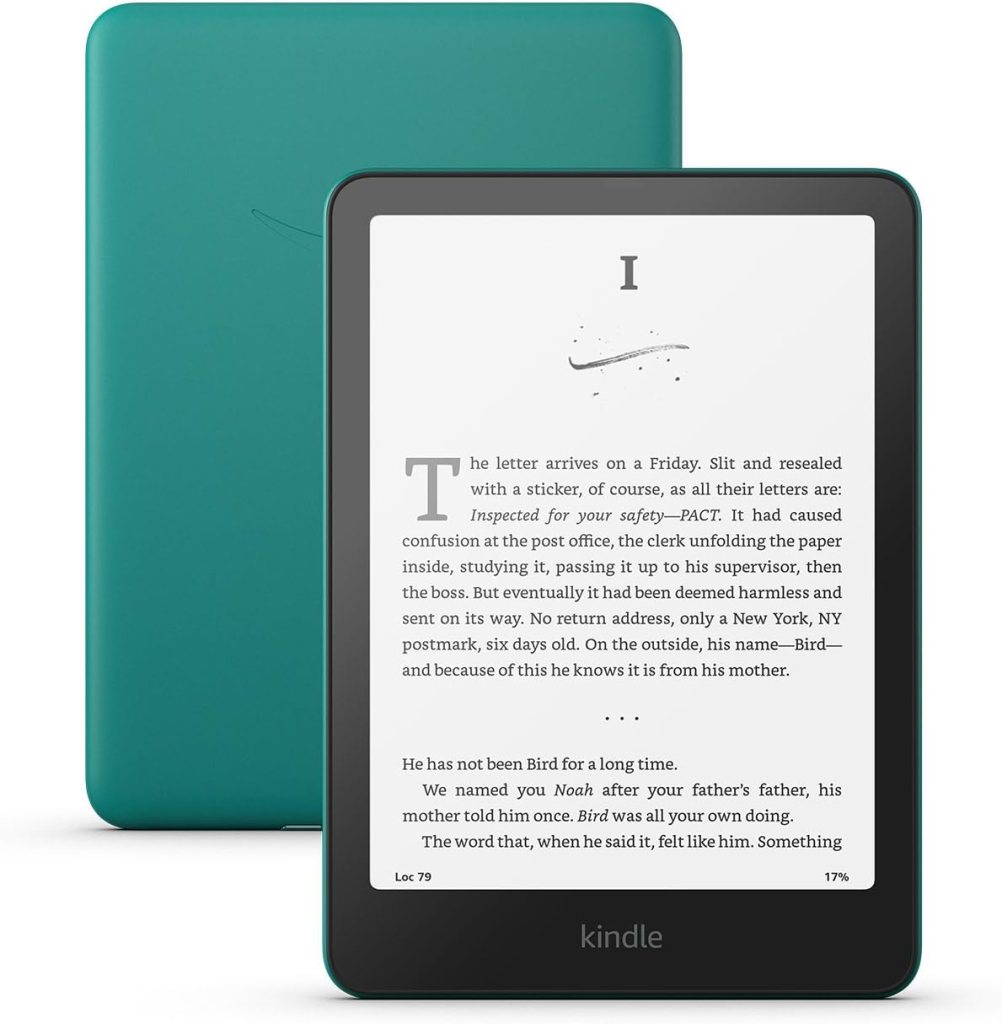
The Kindle Paperwhite is probably the most popular model—and for good reason.
It’s still simple, but it has a few upgrades that make reading extra cozy.
What Makes the Paperwhite Different?
Compared to the classic Kindle, the Paperwhite offers:
- A sharper, higher-contrast display
- A larger screen
- Adjustable warm light (hello, bedtime reading)
- Waterproofing (bath readers, I see you)
This is the Kindle for people who read a lot and want a slightly more premium experience.
Who the Paperwhite Is Best For
You might want the Paperwhite if:
- You read daily or for long stretches
- You read at night and want warmer lighting
- You like reading by the pool, beach, or bath
- You want a noticeable upgrade without going overboard
If the classic Kindle is a reliable sedan, the Paperwhite is the comfy SUV with heated seats.
Check the current price of the Kindle Paperwhite on Amazon.
Kindle Colorsoft: For Readers Who Want Color (Finally!)

Let’s talk about the new kid on the block: Kindle Colorsoft.
Yes—color. On a Kindle. We’ve waited patiently.
What Is the Kindle Colorsoft?
The Colorsoft brings color to the Kindle lineup while still keeping that easy-on-the-eyes e-ink experience. It’s not a tablet, and it’s not meant to replace your iPad—but it is a game changer for certain readers.
Why You Might Choose Colorsoft
Colorsoft is a great option if you read:
- Graphic novels or comics
- Children’s books
- Illustrated nonfiction
- Cookbooks, planners, or textbooks
It allows highlights, covers, and images to actually look like… well, images.
Who the Colorsoft Is Best For
You might love Colorsoft if:
- You read visually rich content
- You want color without the distraction of a tablet
- You’re buying a Kindle for a child
- You want one device that does more than just novels
It’s definitely the most expensive option—but also the most versatile.
See if it’s your type of Kindle on Amazon.
Quick Comparison: Which Kindle Should You Choose?
Here’s the simplest way to think about it:
- Choose the Classic Kindle if you want affordability and simplicity
- Choose the Paperwhite if you want comfort upgrades and nighttime reading ease
- Choose the Colorsoft if color matters to your reading experience
There’s no “best” Kindle—only the best Kindle for you.
Why I’m Still Happy With the Classic Kindle
Even after all this, I’m perfectly content with my classic Kindle.
I read novels.
I borrow library books.
I travel with it.
I toss it in my bag.
I don’t worry about it.
It does exactly what I need—and nothing I don’t.
That’s what finally made me an e-book reader in the first place (which, again, still feels like a personality plot twist).
Final Thoughts: You Can’t Really Go Wrong
If you’re on the fence, here’s my honest advice:
Any Kindle is better than no Kindle.
They all:
- Reduce eye strain compared to phones
- Make reading more accessible
- Let you carry hundreds of books in one place
- Sync seamlessly with the Kindle app
Whether you’re a lifelong reader or just trying to read more this year, there’s a Kindle that fits your lifestyle—and your budget.
And if you want the full, slightly dramatic story of how I went from “I’ll never use an e-reader” to “Where has this been all my life,” don’t miss this post:
👉 Confessions of an E-Book Reader: How I Became a Kindle Convert
Happy reading—and welcome to the dark (mode) side 📚✨



 Simply Worth Sharing
Leave a comment